
Money math, handled.
Seven spreadsheets that do the work apps charge $15/month for — built for you, owned by you.
Budget. Track your hustle. Stay on top of taxes. Run the numbers on a house. We made the tools we wished existed, then refined them for years until they were worth selling.
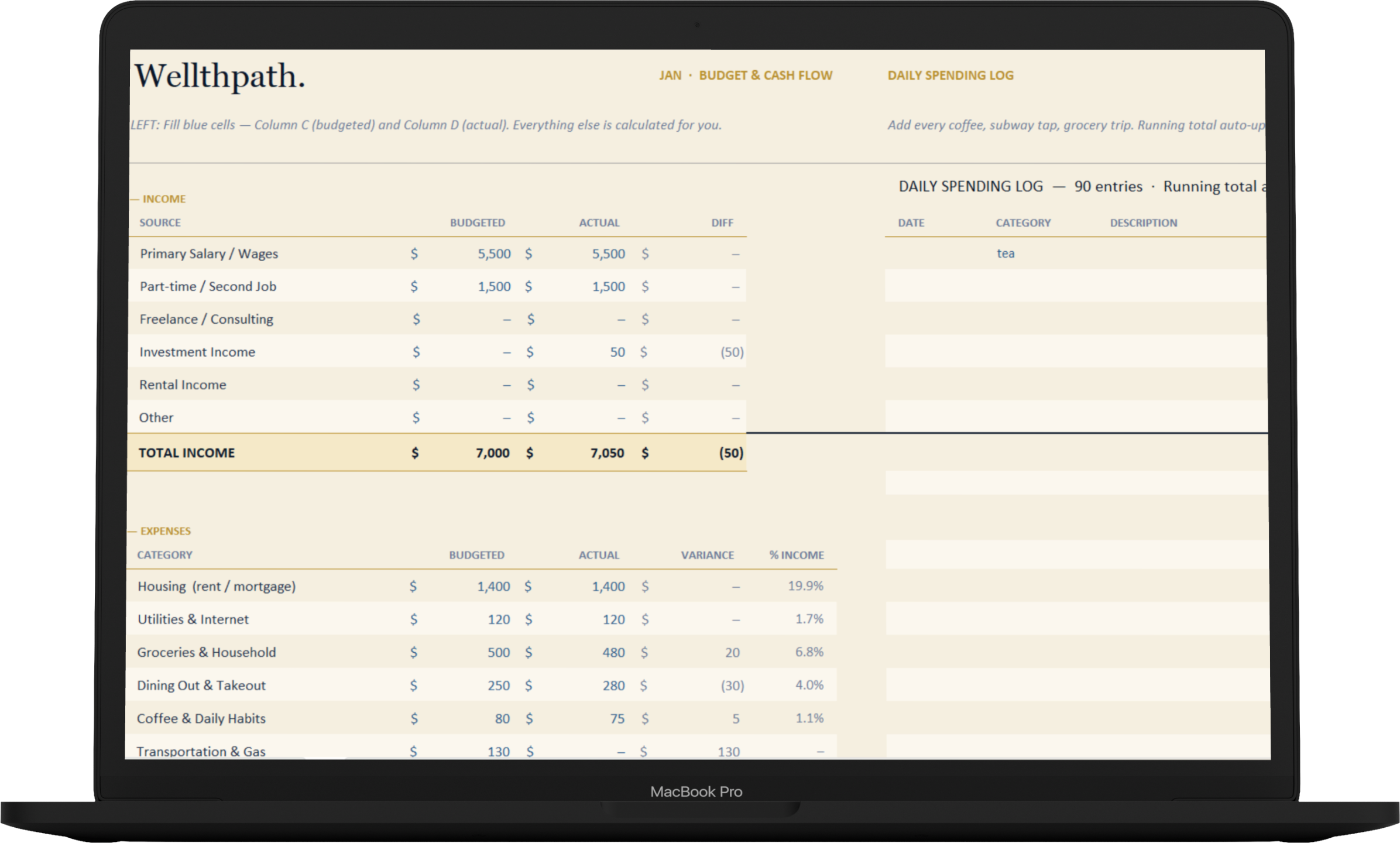


Every category.
Every month.
Zero cost.
The Budget Starter is how we prefer to meet people. Thirteen categories, twelve monthly tabs, one live dashboard. Free, forever.
Drop it into Excel or Google Sheets, fill in a month, and you’ll already know more about your money than most people ever do. If you outgrow it, Budget Planner Pro is right below.
No spam. Unsubscribe anytime. You’ll also get the Wellthpath letter — one email a week, nothing more.
Illustrative. Your dashboard builds itself as you fill in the monthly tabs.
Housing, groceries, coffee, subscriptions, debt — the real places money actually goes.
Monthly totals, YTD savings, and variance to budget — all updating the moment you type.
Works in both. No sign-up, no app, no data harvested. Your file, your machine.
Know your number.
Every month.
Fifteen sheets. One dashboard. A full picture of your money — income, expenses, savings goals, debt, and net worth — all updating the moment you type.
The Budget Planner Pro is the tool we built for ourselves and refined for three years. It’s what you graduate to when the Starter stops being enough — and it’s what most people should have started with.
Fifteen sheets, each doing one thing well.
“I’ve used this exact sheet every month since 2023. It’s how I tracked my savings rate climbing from 12% to 38%, how I paid down my student loan eighteen months early, and how I knew — to the dollar — when I could afford to quit my job and build this. The Planner Pro is the tool I wished existed. I made it because nothing else would tell me the truth.”
Budget Planner Pro. Once.
One payment. Lifetime updates. Works in Excel and Google Sheets. Fourteen-day refund, no questions asked.
Earn it. Keep it.
Two tools, built for the same person: someone earning outside a W-2. The first tells you what your hustle actually makes. The second makes sure the IRS doesn’t surprise you in April.
Your true hourly rate.
Revenue minus expenses, divided by hours. The number most hustlers never bother to calculate — until this tells them.
Eight tabs: income, expenses, dashboard, trends, pricing, goals.
Four default gigs loaded — rename, delete, or use as-is.
Shows profit margin and which gig carries the load.
The IRS, handled.
SE tax, federal, state, and quarterly estimates — calculated from what you log, paid four times a year. No surprises in April.
SE tax (15.3%), federal, and state — calculated from your profile.
Quarterly dates tracked: Apr 15, Jun 15, Sep 15, Jan 15.
Schedule C categories, mileage log, 1099 cross-check.
Important: The Tax Vault provides organized estimates, not tax or financial advice. Verify figures with a licensed CPA before filing. Tax law changes yearly; state rules vary.
How much house can you actually afford?
Move the sliders. Watch your numbers. This is a live demo of one of eight sheets — the full tool runs rent vs. buy, mortgage amortization, debt payoff (Avalanche & Snowball), loan comparison, closing costs, and equity.
Estimates use standard lender rules (28% front-end, 36% back-end DTI). Not a pre-approval — your mileage may vary by lender, credit, and location.
Estimate only, not a lender pre-approval. Assumes 6.5% fixed 30-year, 1.2% property tax, $1,800/yr insurance, 1%/yr maintenance, $0 HOA.
Break-even year on your actual scenario — factoring appreciation, maintenance, closing costs, and what you’d earn renting plus investing.
Both methods side-by-side. Avalanche saves more money. Snowball keeps motivation. Pick what you’ll actually stick to — the tool supports either.
Mortgage affordability, rent vs. buy, amortization, debt payoff, loan comparison, closing costs, and equity — all wired to one dashboard.
Know your edge.
Two pro-grade journals: stocks and crypto. R-multiples, drawdown, Sharpe, expectancy, profit factor. Not “did I make money” — whether you have an edge, where it comes from, and whether it holds up.
Size every entry.
Enter account equity, risk percentage, entry price, and stop loss. The sizer tells you exactly how many shares to buy to risk one R on this trade.
(49.8% of account)
Eleven tabs: Settings, Setups, Sizer, Trade Log, Dashboard, Equity Curve, By Setup, By Ticker, Monthly, Goals.
Pro metrics: R-multiples, Sharpe, Sortino, Kelly, max drawdown, profit factor.
By-setup edge detection — which strategies work for you, not in theory.
Do you actually have an edge?
Most crypto traders think they’re winning. Enter your last 12 months — trades, win rate, average winner, average loser. The math tells you the truth.
Tracks across exchanges: Coinbase, Kraken, Binance, MetaMask, on-chain wallets.
Exchange fees + network/gas fees tracked separately — full cost honesty.
Year-end summary formatted for Form 8949 / Schedule D.
Important: These tools are trade journals, not investment advice. Nothing in this calculator or the spreadsheets is a recommendation to buy, sell, or hold any security or asset. Trading carries risk of loss. Past performance does not predict future results.
Buy a few at once. Pay less.
Two bundles, honestly priced. The discount reflects the volume — not a fake markdown, not urgency theatre. Pick the one that fits your actual life right now.
The core four, together.
For the person getting their money in order, a side hustle going, and starting to think about a house. The essentials, no finance rabbit-hole.
Everything. Forever.
Every tool we make. Every future update. For the person who wants the whole toolkit — budgeting, taxes, housing, investing, all of it — and is done paying monthly fees to someone else.
The savings reflect actual volume. No inflated “original prices” that never existed. No fake timer pressure.
Bundle or single, the terms are the same. No subscription, no usage fees, no dark patterns. Every future update included.
On bundles, on singles, no questions. If the tools aren’t for you, you get your money back. That’s the deal.
The questions people actually ask.
Not the polished ones. The real ones that show up in email — about Google Sheets, refunds, whether the Tax Vault counts as advice.
Still stuck? Email hello@wellthpath.com — I read and reply to every one.
01.
Does this actually work in Google Sheets?
Does this actually work in Google Sheets?
Yes. Every tool is built to work in both Microsoft Excel and Google Sheets with no broken formulas or lost formatting. You’ll get the native .xlsx file when you buy — open it in Excel to use it there, or upload to Google Drive and open with Google Sheets. We test every release in both before shipping.
02.
Mac, PC, Chromebook — any difference?
Mac, PC, Chromebook — any difference?
None. The files are standard spreadsheet files, not apps. Mac users open them in Excel for Mac or Numbers; PC users in Excel; anyone on a Chromebook or basic laptop uses Google Sheets in the browser. If you can open a spreadsheet, you can use these.
03.
I’m not a spreadsheet person. Is this too much?
I’m not a spreadsheet person. Is this too much?
The Budget Starter and Side Hustle Tracker are built for spreadsheet beginners — mostly data entry in labeled cells, everything else happens automatically. Budget Planner Pro and the trader tools are more involved; if you’ve never used a spreadsheet, start with the free Starter first and see how it feels.
04.
Why pay for a spreadsheet when free templates exist?
Why pay for a spreadsheet when free templates exist?
You don’t have to. Free templates are everywhere and some are fine. These exist because most free templates are either toys (pretty, don’t do much) or accountant sheets (functional, ugly, confusing). Three years of refinement went into making these both work and feel like something you’d want to open weekly. If a free template does it for you, use that.
05.
What about the 14-day refund — any catch?
What about the 14-day refund — any catch?
No catch. Email within 14 days of purchase and we refund the full amount, no questions, no interrogation. We’d rather refund someone who didn’t find it useful than have them hold a grudge about a $47 spreadsheet. Keep the file if you want; the refund still goes through.
06.
What counts as a “lifetime update”?
What counts as a “lifetime update”?
When we release a new version of a tool you own, you get it free. IRS changes tax rates? We update the Tax Vault. We redesign the Budget Planner Pro dashboard? You get that version too. “Lifetime” means for as long as Wellthpath exists and keeps shipping. If we ever shut down, the version you have keeps working forever — it’s your file, on your machine.
07.
Is the Tax Vault actually tax advice?
Is the Tax Vault actually tax advice?
No. It’s an organizational tool that does federal SE tax, federal income tax, and state tax estimates based on numbers you enter and a filing profile you set up. It is not a substitute for a CPA or tax preparer. Use it to stay organized quarterly; verify with a licensed professional before filing. US tax law changes yearly — we update the rates each January.
08.
How do I get the files after I pay?
How do I get the files after I pay?
You’ll get an email from Wellthpath within a few minutes of checkout with a download link. The link stays active indefinitely, so you can re-download if you ever lose the file. If you don’t see it in ten minutes, check promotions or spam, then email us and we’ll resend manually.
If you’re still reading, you already know.
The first step is the free one.
Download the Budget Starter. Drop it in Google Sheets. Fill in a week of spending. See how it feels before you spend a cent. If it works, the rest is here when you’re ready.
